What hardware is for and why to check it before ordering
In the daily work of installation, repair, and assembly, the hardware is often the element that determines the success of the intervention. It is not just about fastening components or support accessories: in many technical contexts, choosing the correct piece means avoiding incompatibilities, forced assemblies, downtime, or unexpected replacements.
A good hardware guide starts from a simple principle: before ordering, it is advisable to carefully check measurements, threads, loads, connections, and voltages, when present. Even an apparently minor detail can change compatibility with the existing system.
This is especially true in a professional context, where hardware maintenance is not a generic purchase, but a technical choice that must integrate with already installed components, tools in use, and real operating conditions. For this reason, it is useful to always read the product sheet and compare the available data with the component to be replaced or with the intended application.
If you are evaluating items for fastening, connection, or support, it may also be useful to consult the technical guides in the catalog e the categories dedicated to maintenance, so as to narrow the search more precisely.
Hardware guide: compatibility, measurements, and technical checks to perform
Before adding an item to the cart, it is advisable to set a quick but accurate check. At this stage, there is no need to complicate the order: just verify a few key points, those that most often cause errors.
Always check the actual measurements
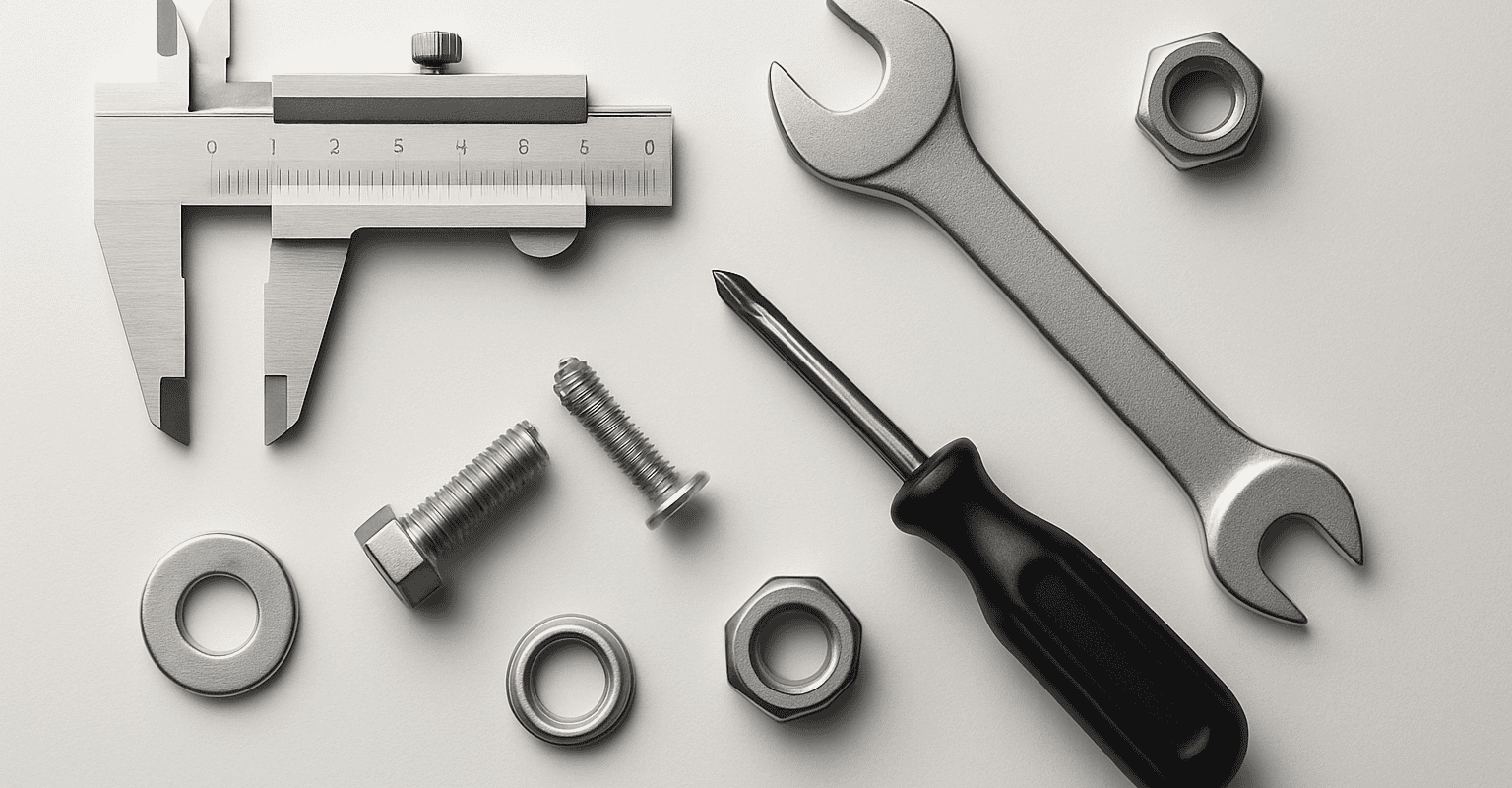
The first aspect to verify concerns the actual dimensions. When replacing an already present component, it is useful to take measurements directly from the existing piece or the mounting seat. Commercial descriptions can help, but do not replace practical comparison.
Among the most useful checks:
- diameter of the component or the hole;
- useful length and total length;
- pitch, if multiple fastening points are present;
- external dimensions, especially in tight spaces;
- thickness of the support on which it will be mounted.
When the component works together with other elements, it is important to also check the available margin for screwing, tightening, or movement. If a datum is not immediately clear, check the product sheet.
Threads, fittings, and connections: the most critical point
One of the most frequent errors concerns the thread type or fitting. Two components may look compatible at a glance but have different pitch, profile, or standards. The result is an impossible assembly or an unstable coupling.
Before ordering, it is advisable to check:
- if the thread is male or female;
- if the pitch is consistent with the component to be connected;
- if the fitting is direct or requires adaptation;
- if the connection must guarantee only fastening or also sealing;
- if the mounting direction leaves space for tools.
In case of doubts, it is preferable to compare the existing part with the technical drawing or with the detailed images available. Even a photographic check can help avoid compatibility errors.
Loads and weights: pay attention to actual use
When the hardware is intended to support, block, or accompany a load, the check must not be limited to the shape. It is necessary to evaluate how the component will be used: resting, in tension, sliding, repeated opening, or fixed position.
Rather than looking for a “similar” solution, it is better to ask:
- does the component have to support a static or dynamic weight?
- does it work continuously or occasionally?
- does it undergo vibrations, shocks, or frequent openings?
- is it mounted vertically, horizontally, or in an intermediate position?
- can the working environment affect wear and stability?
These questions help select items more suitable for the intended use. If the technical sheet provides usage indications, it is always advisable to compare them with the actual installation context.
Voltages and power supply, when the hardware includes electrical parts
Not all hardware is purely mechanical. In some cases, there are elements with power supply, controls, activations, or accessories connected to existing systems. In these situations, controlling the voltage and power supply compatibility becomes essential.
Before purchasing, check:
- the type of power supply required;
- compatibility with the system or the device already installed;
- the presence of connectors, cables, or specific interfaces;
- the available space for connection;
- any mounting instructions indicated in the product sheet.
If you are replacing an existing component, the safest method is to compare the data on the part to be removed with those published online. To learn more about the product families related to installation, you can also consult the sections dedicated to technical components.
Typical errors in hardware ordering or installation
Many returns or replacements arise from skipped checks during selection. In practice, the most common errors are almost always the same. Knowing them helps set up a more reliable purchasing procedure.
Relying only on the product photo
Images are useful but not enough to confirm compatibility. A component may look identical to the one already installed but differ by a few millimeters, the thread, or the fastening system. The photo should always be read together with the description and available technical data.
Neglecting the installation context
An article correct in theory can become unsuitable in practice if there is no space for tightening, if access is limited, or if the mounting orientation changes the function. For this reason, in the hardware maintenance, it is advisable to always evaluate the component together with the environment in which it will operate.
Before ordering, it may be useful to check:
- accessibility with standard tools;
- presence of lateral or rear obstacles;
- possibility of future disassembly;
- compatibility with existing supports, brackets, or bases;
- need for complementary accessories.
Confusing equivalent spare parts and compatible spare parts
In common language, these two concepts are often overlapped. In reality, a “similar” spare part is not automatically compatible. The correct replacement requires consistency between measurements, attachments, function, and mode of use. If the component must integrate with an already installed system, it is always better to check every detail before confirming the order.
Not checking the material or finish
In many cases, the choice of material affects durability and suitability for the working environment. Humidity, dirt, external agents, or intensive use can make a generic solution unsuitable. If the material is an important requirement, check the product sheet and compare the operating conditions with those of your operational context.
Ordering without checking accessories and complementary components
Another common mistake is purchasing only the main component, forgetting elements necessary for assembly or replacement. Depending on the type of item, accessories, adapters, supports, fastening elements, or related spare parts may be needed. Evaluating the system as a whole helps avoid interruptions during installation.
To better guide you between spare parts and accessories, it can be useful to take a look at the pages dedicated to technical spare parts or the solutions for installation and assembly.
Products, spare parts, and useful accessories to consider together with hardware
When purchasing hardware for professional use, it is advisable to think in terms of complete system. This does not mean ordering more than necessary, but checking if there are connected components that can simplify the work or make the assembly more reliable.
In a proper hardware guide, the most useful checks concern three areas: the main spare part, installation accessories, and future maintenance elements.
Spare parts consistent with the existing component
If the goal is to replace a worn part, it is important to compare not only shape and dimensions but also function and mode of operation. A compatible spare part must fit without forcing into the existing group and maintain the same usage logic.
For this, it is useful to gather before ordering:
- photos of the mounted component;
- manually measured dimensions;
- type of connection or fastening;
- any codes or references readable on the part;
- information about the final application.
This data makes selection easier and reduces the risk of inconsistent purchases.
Accessories that facilitate assembly and replacement
In many interventions, details make the difference. The right accessory can speed up assembly, improve alignment, or simplify subsequent maintenance. It is therefore worth checking whether the chosen component requires or suggests additional elements for installation.
Among the aspects to consider:
- presence of necessary supports or adaptations;
- compatibility with existing fastening systems;
- need for dedicated connecting elements;
- sufficient space for assembly and disassembly;
- possibility of quick replacement in case of maintenance.
Maintenance hardware: also think about future interventions
The best choice is not always the one that only allows the job to be finished today, but the one that makes it easier to intervene tomorrow. With a view to hardware maintenance, it is useful to prioritize components that are easy to identify, check, and replace over time.
A careful selection allows you to:
- reduce downtime during spare parts replacement;
- simplify the sourcing of compatible accessories;
- avoid temporary assemblies or inefficient adaptations;
- keep replacement management more organized;
- improve operational continuity.
If you work on plants, workbenches, locking systems, or technical structures, it is advisable to create a small internal verification procedure before ordering: measurement detection, attachment check, product sheet comparison, accessory verification. It is a simple step, but often decisive.
Recommended products






How to choose the right hardware more quickly
To make purchasing more straightforward, you can follow a practical sequence. It is a useful method both for those ordering single spare parts and for those managing recurring supplies.
- Identify the function of the component: fix, connect, support, lock, or activate.
- Take measurements from the existing part or the mounting location.
- Check threads and screws carefully, without relying only on the external appearance.
- Evaluate the usage context: load, frequency of use, available space, operating environment.
- Check in the product sheet the available technical data and any related accessories.
- Consider future maintenance, not just immediate installation.
This approach helps transform hardware selection from a generic purchase to a more informed technical choice. And this is exactly where a good store guide can make a difference: not just showing items, but helping to identify those most consistent with the real application.
If you want to better navigate categories, spare parts, and solutions for professional use, explore the Technofluid catalog and consult the pages dedicated to hardware and related components: you will find a selection designed to simplify ordering, replacement, and maintenance more quickly and accurately.
FAQ
Which hardware measurements should be checked before ordering?
Before ordering, it is useful to check diameter, length, center distance, thickness, and overall size. If the component replaces an existing part, always compare the actual measurements with the data on the product sheet.
How do I know if a filet is compatible?
To check the compatibility of a thread, you need to verify if the connection is male or female, the pitch, the profile, and the type of connection required. If in doubt, compare the existing component with images and technical details provided in the product sheet.
When should I also check the flow rate or the load?
Flow control is important when the hardware must support, block, or guide a weight, especially in the presence of movement, vibrations, or frequent use. In these cases, it is advisable to evaluate the actual application context and check the indications available in the product sheet.
Can the hardware store request voltage checks?
Yes, when it includes electrical parts or connects to powered systems. In these cases, it is essential to check compatibility with the existing system, the type of power supply, and any planned connections.
What is the most common mistake when choosing a hardware replacement?
The most common mistake is relying solely on the external appearance of the component. A seemingly similar replacement may not be compatible in terms of dimensions, thread, connection, or mounting method. To avoid this, it is always better to compare the existing part with the product sheet.