


What hardware is for and how to navigate the choice
In common language the term hardware is often used very broadly, but those who work daily with installations, repairs, and maintenance know that behind this word there is a universe of components, accessories, and solutions that directly affect the successful outcome of the work. Choosing the correct product does not only mean finding a compatible element: it means evaluating function, usage context, material, assembly, and maintenance continuity.
A good hardware guide starts right here: understanding what the component you are looking for is for and in which system it will be inserted. In a professional context, in fact, the choice is not based only on appearance or immediate availability, but on a series of checks that help avoid errors during ordering, installation, or replacement.
Hardware can have different roles depending on the application:
- to fix elements together in a stable way;
- connect mobile or static parts;
- facilitate opening, closing, sliding, or adjusting;
- protect points subject to wear;
- to restore the functionality of a system through spare parts and accessories.
For this reason, professionals tend to think in terms of actual function and not generic definition. Before purchasing, it is useful to ask yourself: does the component need to block, support, guide, join, or replace an existing part? Much of the selection depends on this answer.
Se stai valutando più soluzioni, può essere utile consultare anche le guide tecniche disponibili, confrontare le categorie dedicate alla ferramenta e approfondire i ricambi per interventi di manutenzione per individuare con più precisione la famiglia di prodotto corretta.
When an apparently simple choice becomes decisive
Many problems arise from an initial underestimation. A hardware component chosen without checks may seem suitable at first glance but prove impractical or incompatible once it arrives on site, in the workshop, or during installation. This is where the professionals' method comes into play: observing the overall system and not the single isolated piece.
In practice, an effective selection always considers:
- the intended use of the component;
- the type of structure on which it will be mounted;
- the presence of existing parts to be maintained;
- the frequency of use and hardware maintenance expected;
- the ease of replacement over time.
This approach reduces unforeseen issues and also makes warehouse management easier, especially when managing multiple systems, multiple clients, or multiple construction sites simultaneously.
Compatibility, measurements, and technical checks in hardware selection
The most important criterion in hardware selection is compatibility. Even when two components look similar, small differences can completely change the final result. That is why professionals always gather some information before proceeding with the order.
The first check concerns the application context. An accessory designed for a certain type of installation might not be suitable in a different system. In these cases, it is advisable to carefully check the description and, if necessary, check the product sheet all available details on assembly, destination, and recommended pairings.
The measurements to check before purchase
One of the most common mistakes is relying solely on visual similarity. In reality, in hardware, measurements matter much more than they seem. Before ordering, it is useful to verify:
- overall dimensions of the component;
- fixing points and their arrangement;
- any center distances or distances between holes;
- thicknesses or diameters of the involved parts;
- mounting direction, if present;
- compatibility with already installed elements.
When replacing an existing component, the best method is to compare the part to be replaced with the information present in the technical sheet or product sheet. If a piece of data is not clearly indicated, avoid assumptions and check the product sheet or with the support available in the store.
Materials and operating environment
Another decisive criterion concerns the material. Hardware often operates in very different environments: indoor spaces, operational areas, contexts exposed to humidity, dust, frequent use, or repeated stresses. For this reason, professionals never choose a component without considering where it will be used.
Evaluating the material helps to understand if the product is consistent with:
- the support on which it must be mounted;
- the environment in which it will remain installed;
- the need for periodic cleaning or maintenance;
- the presence of other parts with which it must interact;
- the continuity of operation required over time.
In good hardware guide, material is not a secondary detail: it is one of the first elements to check because it affects the duration of the intervention and the ease of future replacements.
Compatible spare part or new installation?
The choice logic varies greatly depending on whether you need to make a replacement or a new installation. In the first case, the goal is to find a replacement consistent with the existing system. In the second, however, you can think more broadly and build a complete solution, also considering coordinated accessories and complementary components.
For replacements, professionals almost always follow this scheme:
- identification of the function of the part to be replaced;
- measurement of dimensions and fixing points;
- checking compatibility with the already installed system;
- verification of any accessories necessary for proper restoration.
Per approfondire questo approccio, può essere utile consultare le soluzioni per sostituzioni e ricambi oppure esplorare gli accessori collegati alle principali applicazioni presenti nello store.
Typical errors in hardware ordering or installation
Those who purchase hardware professionally know that the most costly mistakes do not always depend on the product, but often on incomplete initial information gathering. An order made too quickly can cause delays, avoidable returns, and unexpected downtime.
Among the most common errors are:
- confusing similar components but intended for different uses;
- not checking the direction or the mounting orientation;
- assuming compatibility with already installed elements;
- neglecting necessary accessories to complete the installation;
- ordering a replacement without having verified measurements and fixing points;
- not considering the future hardware maintenance.
The mistake of choosing based only on the photo
One of the most frequent cases in the online store is selection based solely on the image. The photo helps to orient yourself, but it is not enough to confirm compatibility. Two items can look very similar and differ in details that directly affect installation.
To avoid this problem, it is always advisable to:
- carefully read the title and description;
- check the indicated intended use;
- compare the available sizes;
- check for any notes on combinations or compatibility limits;
- in case of doubt, check the product sheet.
Quick installation, but without preliminary checks
Another common mistake is to approach assembly as if it were a secondary step. In reality, correct installation depends on a series of preliminary checks: support, alignment, accessories, available space, condition of the existing component, and system usage logic.
Professionals reduce unexpected issues by following a small operational checklist:
- precisely identify the installation point;
- verify that the support is suitable;
- check that the component operates in the intended position;
- make sure to have all necessary elements;
- assess whether the intervention needs to be easily reversible or inspectable.
This initial attention is especially useful when the hardware is part of a larger system and not a single isolated intervention. In these cases, a correct choice also simplifies subsequent interventions.
Products, spare parts, and accessories useful for effective hardware maintenance
In daily work, hardware does not end with the first purchase. Professional management also considers the next phase: wear, replacement, integration, and maintenance. That’s why those who buy consciously do not only look at the main component but also at everything that may be needed to keep the system efficient over time.
When talking about hardware maintenance, the key point is continuity. A well-planned intervention helps reduce improvisations and emergency replacements. In practice, it is advisable to evaluate from the start whether the chosen component:
- can be easily replaced;
- requires specific accessories for installation;
- is part of a coordinated spare parts family;
- integrates with other elements already present;
- allows orderly and understandable maintenance over time.
How professionals think about spare parts and accessories
In a professional context, spare parts and accessories are not considered secondary elements. On the contrary, they are an integral part of the choice. A correct component but lacking the necessary elements for installation or replacement can slow down work as much as an incompatible item.
For this reason, before purchasing, it is useful to ask:
- is only the main component needed or also complementary parts?
- does the intervention concern a specific repair or a broader restoration?
- are there elements to be replaced simultaneously to avoid a second intervention?
- Does the system require periodic checks or facilitated maintenance?
This logic is particularly useful for those who manage recurring installations, technical assistance, or scheduled maintenance. Good hardware organization reduces downtime and also makes future reordering easier.
Per orientarti meglio tra componenti, ricambi e soluzioni collegate, puoi consultare anche le pagine del catalogo dedicate agli accessori e le sezioni informative che aiutano a distinguere le applicazioni più comuni.
When it is convenient to choose with an overview
The most effective choice is not always the most immediate one. Often the real advantage comes from an overview: considering not only the part needed today, but also the ease with which the system can be checked, updated, or restored later.
This approach is typical of professionals because it brings concrete benefits:
- fewer errors during ordering;
- more streamlined installations;
- greater consistency among components;
- simpler spare parts management;
- more organized maintenance interventions.
In other words, a good hardware selection does not just “make a component work well,” but builds a more reliable foundation for the entire usage cycle.
Recommended products
 Twisted stainless steel shackle microcast mm 5 – code: 08.856.05 – Osculati
 Telescopic gas spring 900 mm 42 kg – code: M3542900 – Trem
 Spring stainless steel compass 26 mm B-D – code: 38.421.78 –
 Galvanized steel omega shackle 25 mm – code: 0123425 – Motomarine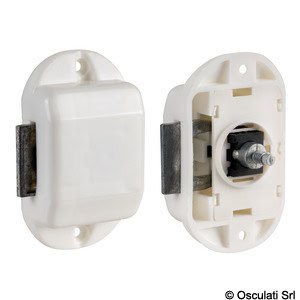
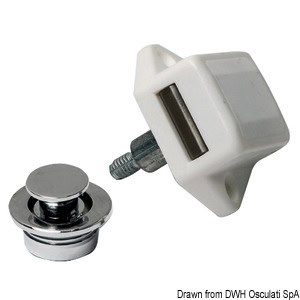 Chrome-plated brass button 19 mm – code: 38.182.10 – Osculati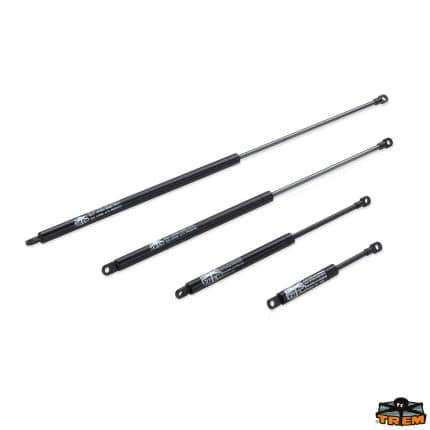

Choosing the right hardware with a professional method
If you need to purchase hardware for a new intervention, a replacement, or scheduled maintenance, the best criterion is to combine function, compatibility, and technical checks. Browse the category, compare product sheets, and explore the available brands to find the solution best suited to your operational context. If you want to simplify the selection, explore the catalog and identify the components most consistent with your system or application.
FAQ
How to choose the right hardware for a replacement?
For a replacement, it is advisable to start from the function of the existing component, then check measurements, fixing points, orientation, and compatibility with the already installed system. If a detail is not clear, check the product sheet.
What is the most common mistake when ordering hardware online?
The most common mistake is choosing based only on the photo or visual similarity. It is always better to check the description, intended use, measurements, and compatibility notes before confirming the order.
Why is compatibility so important in hardware?
Because even very similar components can differ in dimensions, fastenings, mounting direction, or intended application. A preliminary check helps to avoid problems during installation and subsequent replacements.
What is meant by maintenance hardware?
It refers to the set of components, spare parts, and accessories useful for keeping a system efficient over time. It does not only concern repair, but also the ability to intervene in an orderly and quick manner when needed.
When is it advisable to also consider accessories and spare parts together with the main component?
It is especially advisable to do this in professional installations, recurring maintenance, and replacements, because accessories and spare parts may be necessary to properly complete the assembly or avoid a second intervention.


